Read the morning
Read each segment of the day's Daily Dispatch, check the trade date it describes, and click a link in the text to open the widget behind it.
Goal
Read today's Daily Dispatch, check which trading day it describes, and open the widget behind one link in its text.
Before you start
Sign in and click Trader Dash in the top bar. The steps add two widgets to the open tab.
Steps
-
Click + Add widget, then under Widgets click Daily Dispatch.
-
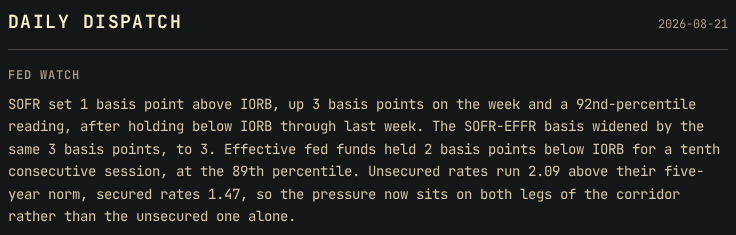
Press Escape to close the picker. Daily Dispatch opens under its DAILY DISPATCH masthead.
-
Find the date at the right of the masthead. It is the trade date of every number in the text.
-
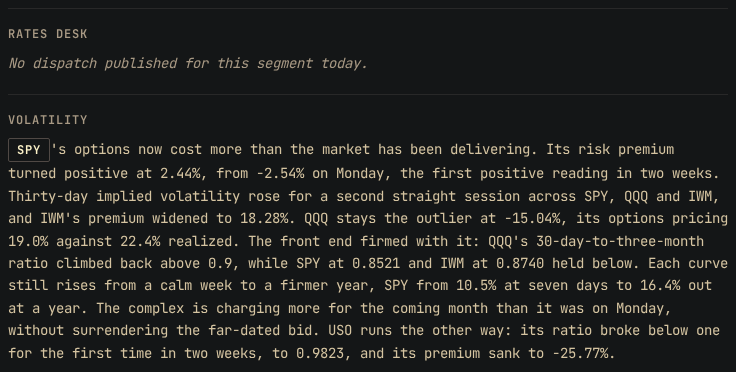
Read Fed Watch, Rates Desk, Volatility and Options, in that order.
-
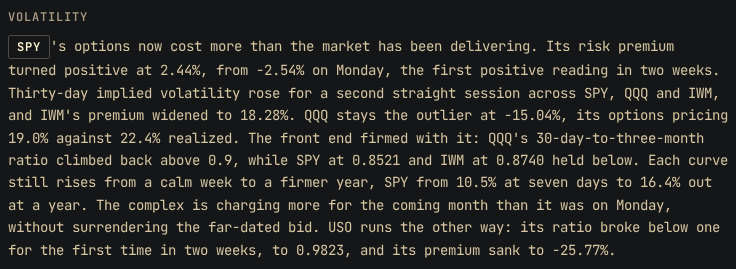
In the Volatility text, find a link. A link is a word drawn as a button inside the paragraph.
-
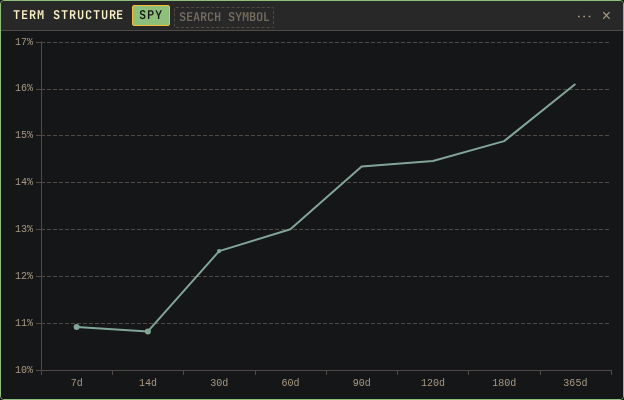
Click the SPY link. The page adds a Term Structure chart on SPY.
Result
Each segment covers one subject, and other widgets show the numbers behind it:
- Fed Watch: money-market spreads, the policy path, economic releases, credit spreads and the Fed balance sheet. The Macro Board and Monetary Plumbing show those numbers.
- Rates Desk: the Treasury curve, also shown on the Macro Board.
- Volatility: term structure, the VIX basis, VRP, implied against historical volatility, and the Volatility Board. The next guide is Scan the Volatility Board.
- Options: the options flow, the straddle, the smile, the implied distribution and the screened cards. The Options Dispatch shows the cards. From a card to an order ticket describes one card.
The data updates in one daily run that starts at 00:15 UTC, Tuesday to Saturday. Daily Dispatch is written at 07:45 UTC on the same days. Every number in it is the previous trading day's close, the date on the masthead. A dispatch dated Friday 2026-08-21 stays on screen through the weekend until Tuesday's run replaces it.
Daily Dispatch reports values that other widgets show. It gives no probability and no trade suggestion. To see a number on its own scale, open the widget that shows it.
A link opens the widget behind the word. If that widget is already open, the page scrolls it into view and switches it to the link's symbol. Otherwise the page adds the widget. The text does not change.
Other ways
Show it as a ticker
Click Ticker in the header chips. One line per published segment
scrolls across the window, as Fed Watch: followed by its headline or its
full text. The widget menu then lists the speeds Slow, Med and
Fast. The ticker has no links. Click Board to return.
Use the keyboard
Press Tab until a link has focus, then press Enter or Space.
Read the Options segment beside its cards
The Options Dispatch shows the same Options text above the cards it discusses.
If something goes wrong
- A segment shows
No dispatch published for this segment today.: that segment did not publish in today's run. No older text replaces it, and a missed run is never written later. - The text has no links: the run marked no words in that segment. Add the widget that the text mentions from + Add widget.
- A link adds no second widget: that widget is already open. The page scrolls it into view and switches it to the link's symbol.
- Enter does nothing on a link: the link does not have focus. Press Tab until the focus ring shows on it.
- A widget shows the previous day's numbers after the update: your browser still has its old copy. Click the cache pill in the top bar, then click Refresh.
- The masthead date is still old after Refresh: no newer dispatch was written. Daily Dispatch shows only the latest run.
- The cache panel lists rows under Unavailable after Refresh: the server had no data of that kind for those symbols. The rest of the page is current.
- The cache pill stays at 0% after Refresh: nothing loaded, so the fault is on the server. Try again in a few minutes.
The browser keeps a copy of each page's data. It drops that copy when the server announces new data, and checks again when you return to the tab. Refresh in the cache panel drops the copy at once and fetches the data again. The cache pill counts up as the copy refills.